
Option Samurai Q3 2026 Version - Watchlists, Technical Indicators and Alerts
Published on September 18, 2026 | 6 min readBy Leav Graves
Option Samurai has always had the same goal: to help retail traders make better option trades.
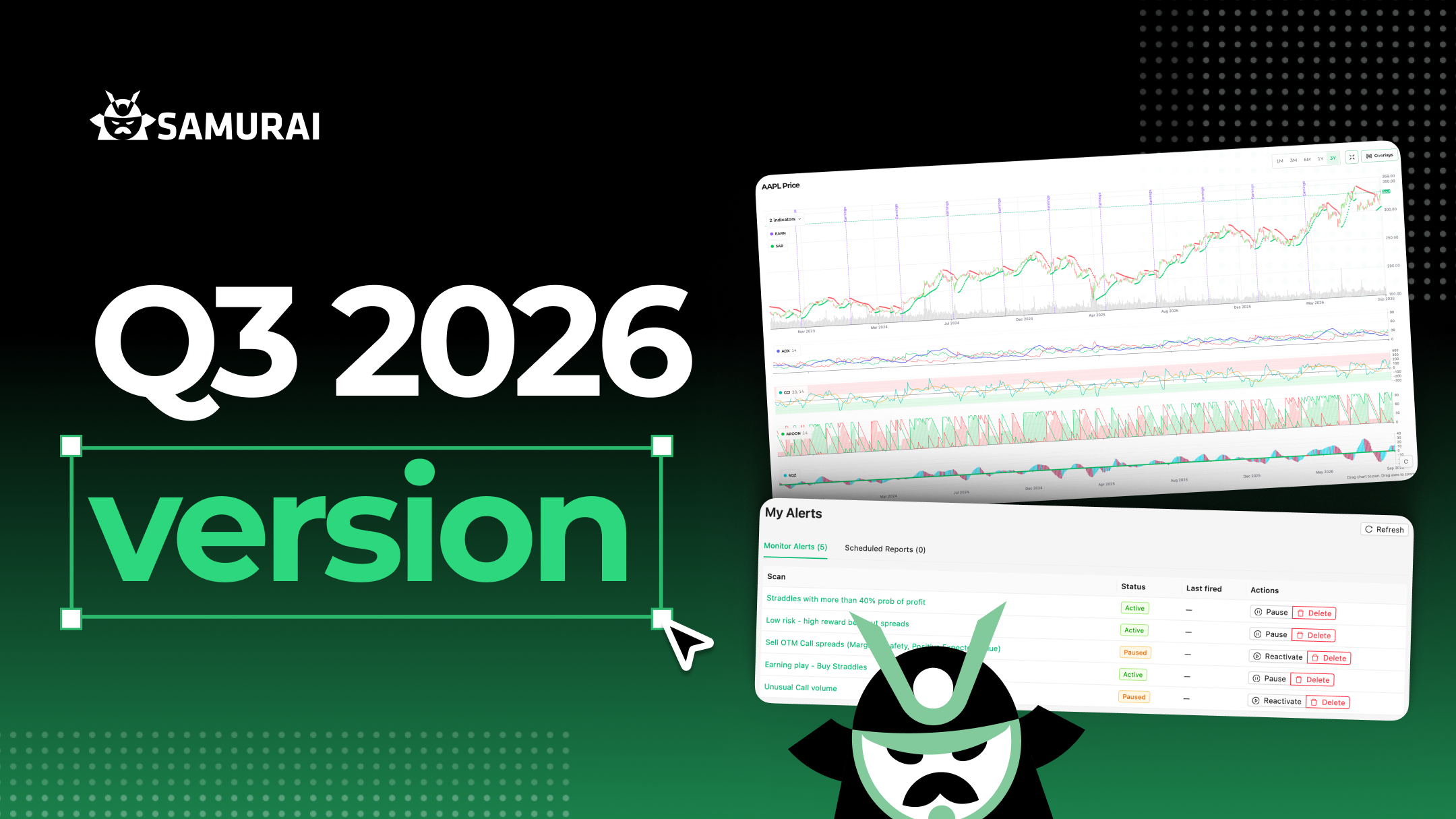
As option traders ourselves, we enjoy adding more features every quarter and improving the product for all of us. Last quarter we shipped Research and told you what was next: better alerts, improved watchlists, and more data points. This release delivers all three, and it's the biggest version we've shipped this year.
Here's what we included in this Q3 update:
- Watchlists, a new page in the top navigation, with manual, smart, and predefined lists
- Five brand-new technical indicators: ADX, CCI, Aroon, Parabolic SAR, and TTM Squeeze (Blog articles and backtests are coming soon)
- A redesigned Alerts system, including scheduled email reports
- Industry as a new data point in the screener, plus earnings timing (before or after the bell)
- A completely redesigned blog
- A new Account page
- A more accurate technical analysis engine, general improvements, and bug fixes
1. Watchlists
Watchlists (universes) let you keep the tickers you're tracking and decide exactly how you want to work with them. This quarter, we improved them, added smart lists that build and update themselves to help you get started quickly, and integrated them with our other features, such as research and scanner.
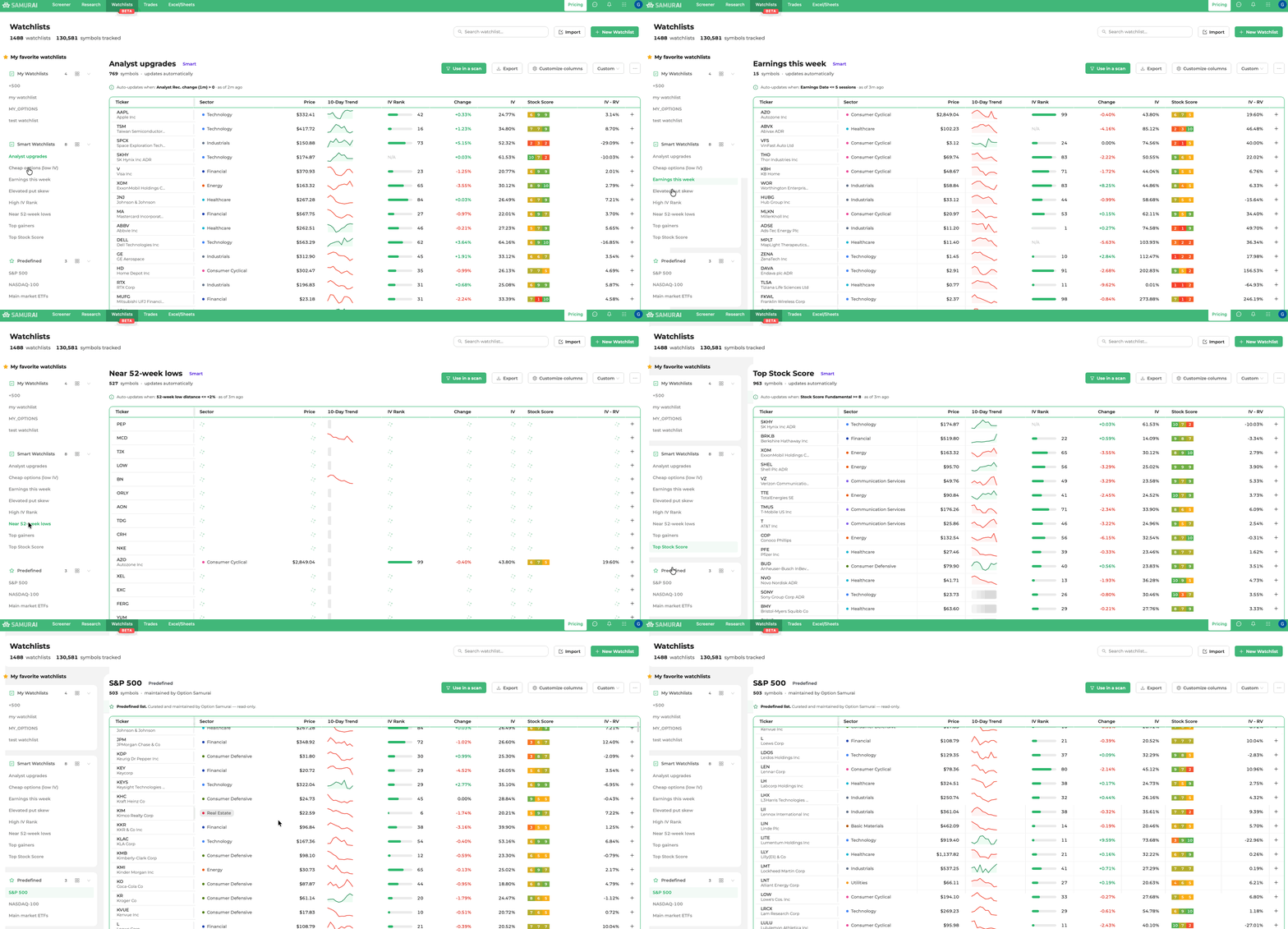
A watchlist is a set of tickers you want to keep an eye on - but the point of this page is what you can do with that set.
Three kinds of list
- Manual lists - you add the tickers, one by one or by import.
- Smart lists - maintained automatically from a rule, like "IV Rank ≥ 80." The list re-evaluates itself on a schedule, so it's never stale. We're giving you a set of these covering the setups traders ask us about most. (Smart watchlists)
- Predefined lists - the curated lists we maintain, like the S&P 500, the Dow, the sector SPDRs, and thematic ETF holdings. Index- and ETF-based lists refresh nightly from live membership data, so they stay current without you doing anything. (Automatic watchlists)
What you can do with a list
- Use it as a scan filter. Pick any saved scan, or any of our predefined scans, and run it against the list. The results are the intersection: stocks in your watchlist that also match the scan's criteria. This feature turns a watchlist from a bookmark into a workflow.
- Track what matters to you. Build your own view with descriptive, technical, and fundamental filters, plus options data like IV Rank and skew rank. Save it as a named view you can reuse. Out of the box you get sector, price, change, a 10-day sparkline, and IV Rank.
- Work with the tools you already use. CSV in, CSV out. We've built an importer that's deliberately forgiving, handling different delimiters, messy headers, and the extra junk brokers tack onto exports. It shows you a preview before anything's added, and there's a template if you'd rather start clean.
- Get suggestions. When a manual list has fewer than five tickers, we suggest names that share traits with what's already in it - one tap to add.
We also enhanced the Screener's Include Symbols and Exclude Symbols filters to let you use multiple watchlists and make them easier to use.
📖 Help article: Watchlists
2. Five New Technical Indicators
This version enhances our technical analysis engine with five new indicators, built to help you find better trades without adding complexity.
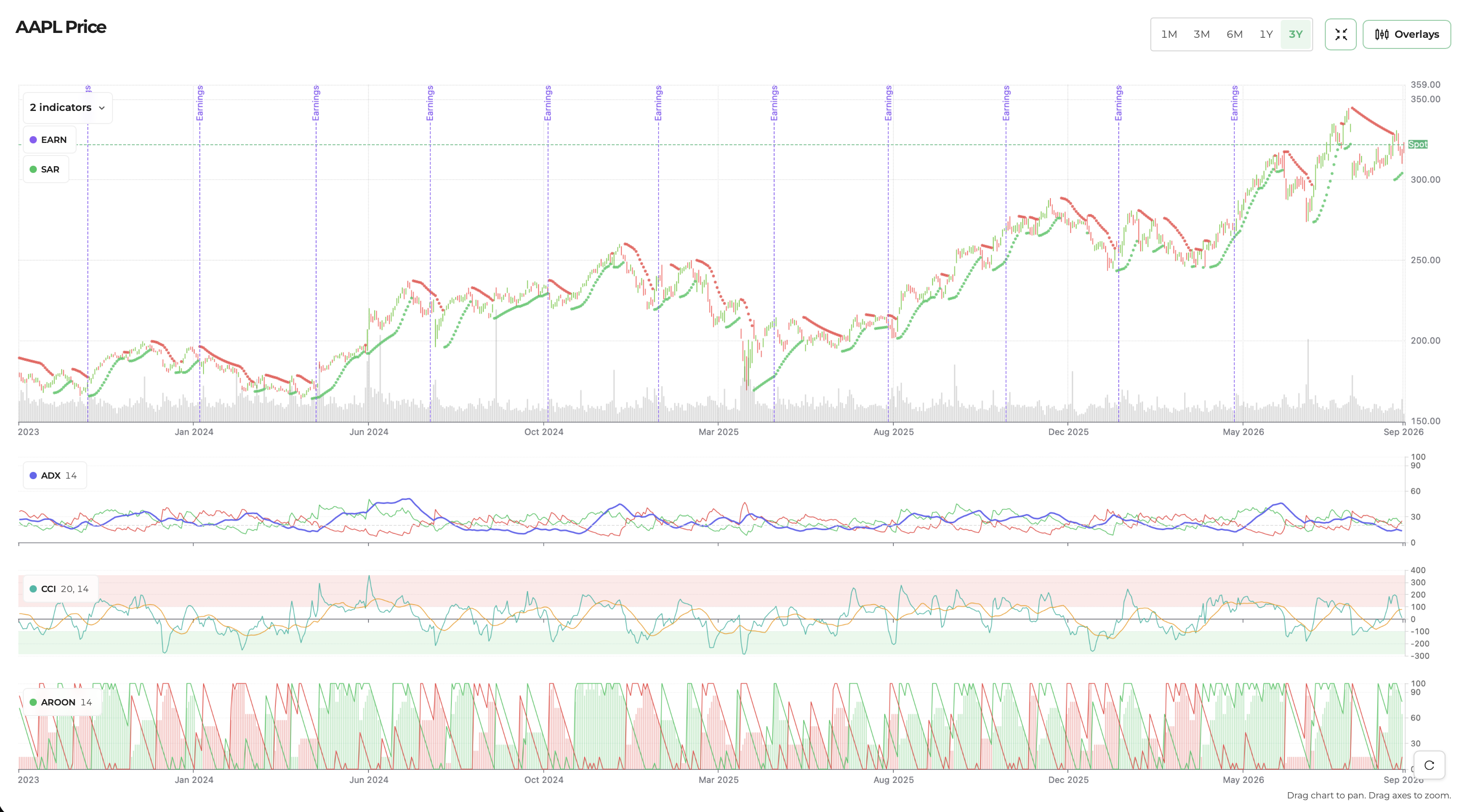
Basic and Advanced, on every indicator
Every new indicator comes with two ways to use it:
- Basic view - plain-English presets. Pick the behavior you're looking for (overbought, trending, just flipped bullish), and we configure the parameters for you.
- Advanced view - the raw inputs. Lengths, From/To ranges, directional filters, and how many periods a condition has to hold.
The idea is that you shouldn't need to know an indicator's parameters to use it, but you shouldn't be stopped if you do.
The five indicators
- ADX: See whether a stock is trending or moving sideways, so you can match the strategy to the market. Includes Sideways, Bullish and Bearish presets, plus a free backtest.
- CCI: Find stocks that may be overbought, oversold or moving unusually far from their recent average.
- Aroon: Spot strong new trends by checking how recently a stock made a high or low.
- Parabolic SAR: Find trend changes and stocks that have just flipped bullish or bearish.
- TTM Squeeze: Find stocks where volatility is compressed and a larger move may be starting, including its likely direction.
📖 All our filters and data guides: Filters & Data
3. Alerts and Scheduled Reports
As we mentioned earlier in the year, we have significantly improved our alerts engine. You still get notified when a new name hits a scan you are monitoring. This quarter we made that experience easier to use, and added a way to receive the scan in your email at a specific time, either as HTML or as CSV.
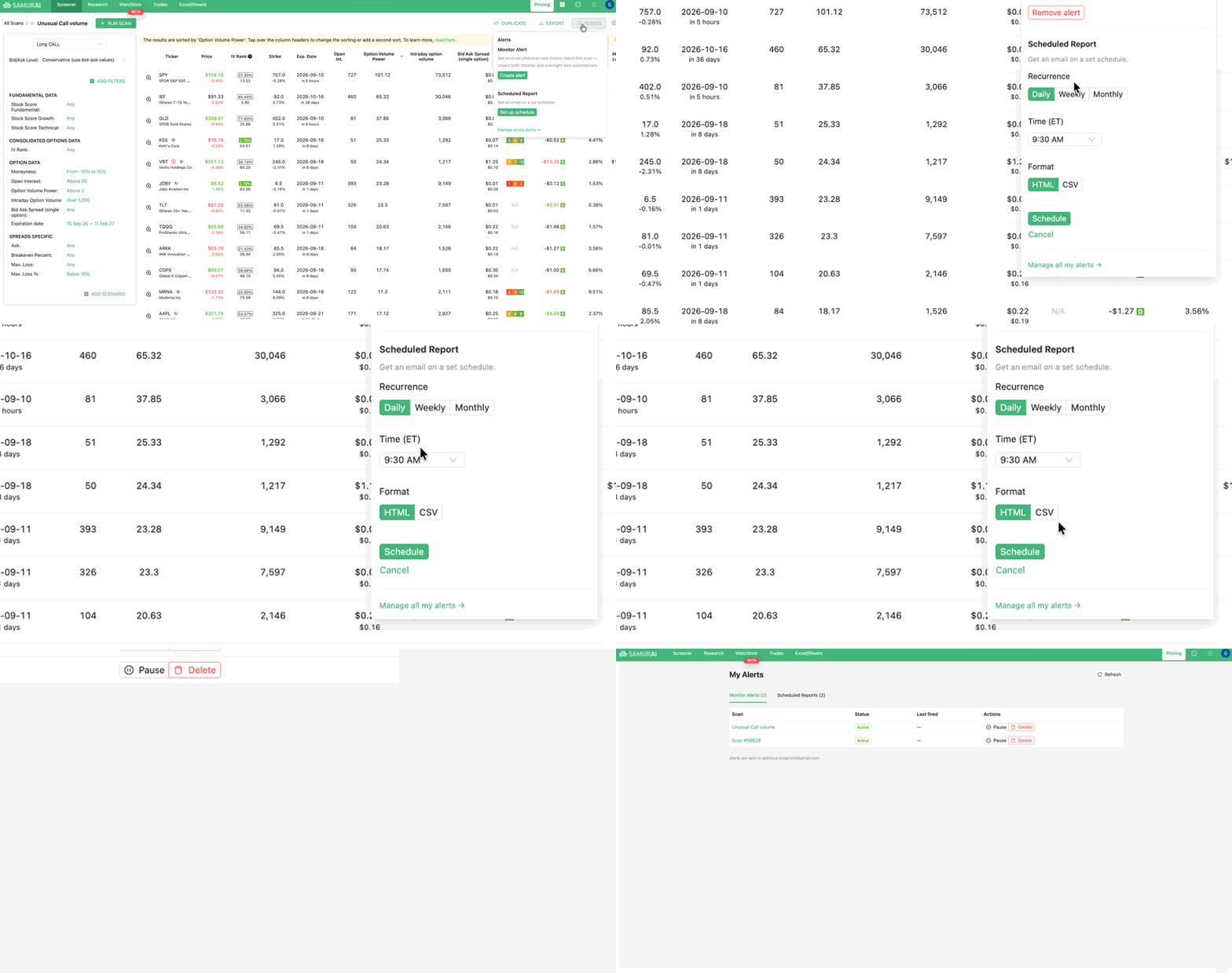
You can now schedule reports
We shipped a request we hear often: schedule a scan and get the report in your email. You can receive it as HTML or as CSV. That lets you build a workflow and let Samurai assist you and do the busy work. Here are some of the things you can do:
- a morning scan at the start of the trading day
- a scan 30 minutes before the close
- on Sunday, a report of names with earnings in the week ahead, waiting before Monday’s open
- A weekly list of analyst upgrades and downgrades to watch next week
- End-of-week report on stocks on your watchlists
- And more.
If you can scan it, you can put it on a schedule.
A full upgrade to Alerts
We also gave Alerts a major usability upgrade. It’s now much easier to see and manage everything you have running, with a single place to review, pause, or cancel your alerts and scheduled reports. We also improved the interface and the underlying alerts engine to make the experience smoother and more scalable.
The goal is simple: set it up once, and let Samurai do the watching for you.
Alerts and scheduled reports are part of the advanced plan. As before, trial users can set them up during the trial.
📖 Help article: Monitoring (Alerts) ·
4. Industry, and Earnings Before or After the Bell
Two useful additions to the screener: Industry and Earnings timing. You can now filter and sort by specific industries, so instead of looking at the whole financial sector, you can focus on areas like regional banks. For earnings, you can now see whether a company reports before the open or after the close, which can be important when you have a position around earnings. Both are available as filters, sortable columns, and in the add-ins.
5. A Redesigned Blog
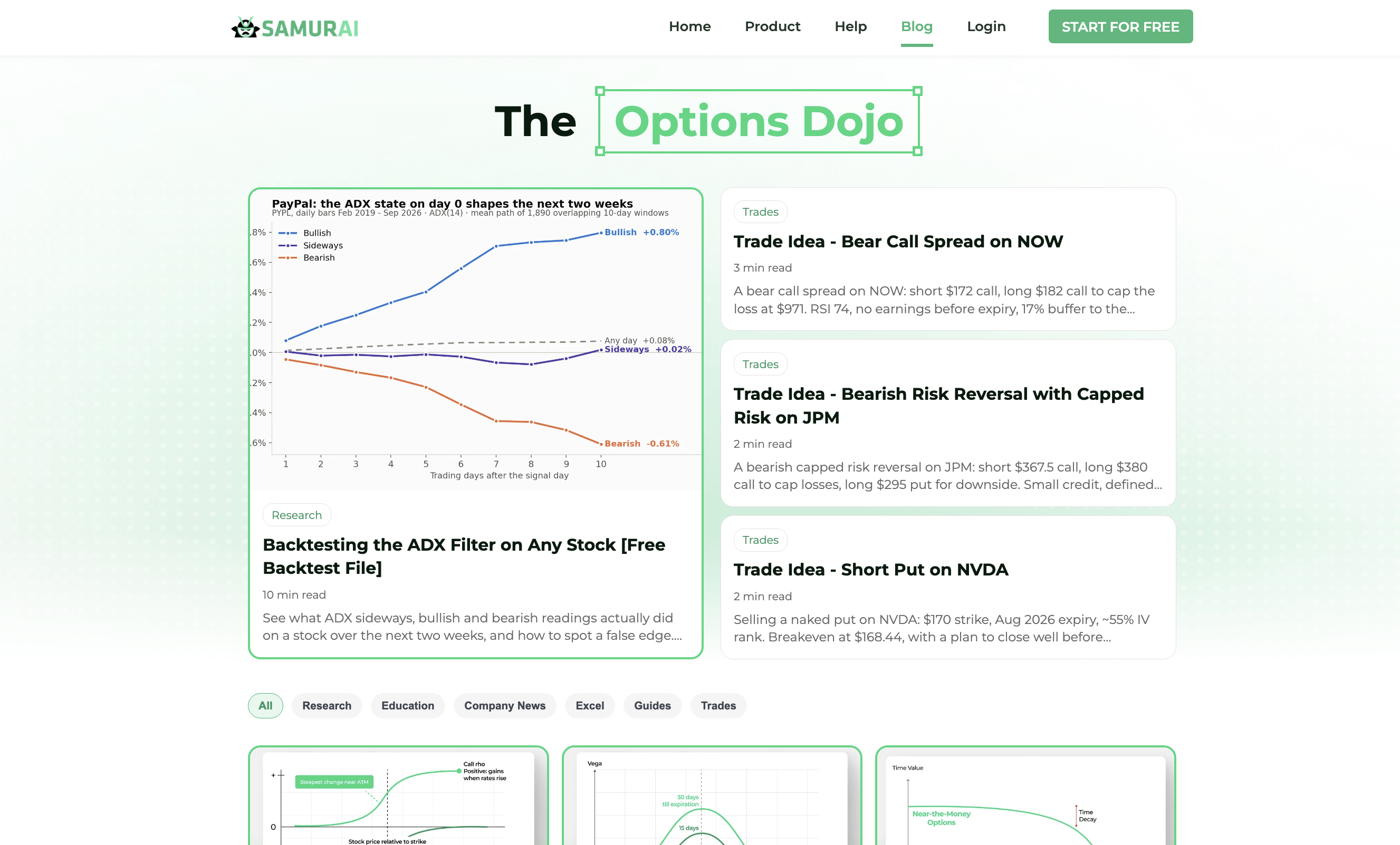
We rebuilt the blog from the ground up, making it cleaner, easier to browse, and much easier to find the articles you’re looking for (we're pretty sure you can see the difference if you're reading this).
6. A New Account Page
We added a new account page that gives you one place to manage and keep track of your Samurai account. You can see your plan, billing, invoices, and account details, and manage everything from the same place.
You can find it under your avatar in the navigation bar.
7. Bug Fixes and What's Next
Alongside the new features, we continued improving the platform, fixing bugs, tightening existing functionality, and improving performance across the board.
And we’re already working on the next version. Research will get more panes and widgets; the Screener will get new data points, and there’s more on the way.
The new version is live! Log in to Option Samurai and build your first watchlist, set an alert or continue scanning for the best options trades.
AUTHOR
 Leav GravesCEO
Leav Graves is the founder and CEO of Option Samurai and a licensed investment professional with over 19 years of trading experience, including working professionally through the 2008 financial crisis.